How to Program a LiftMaster Remote
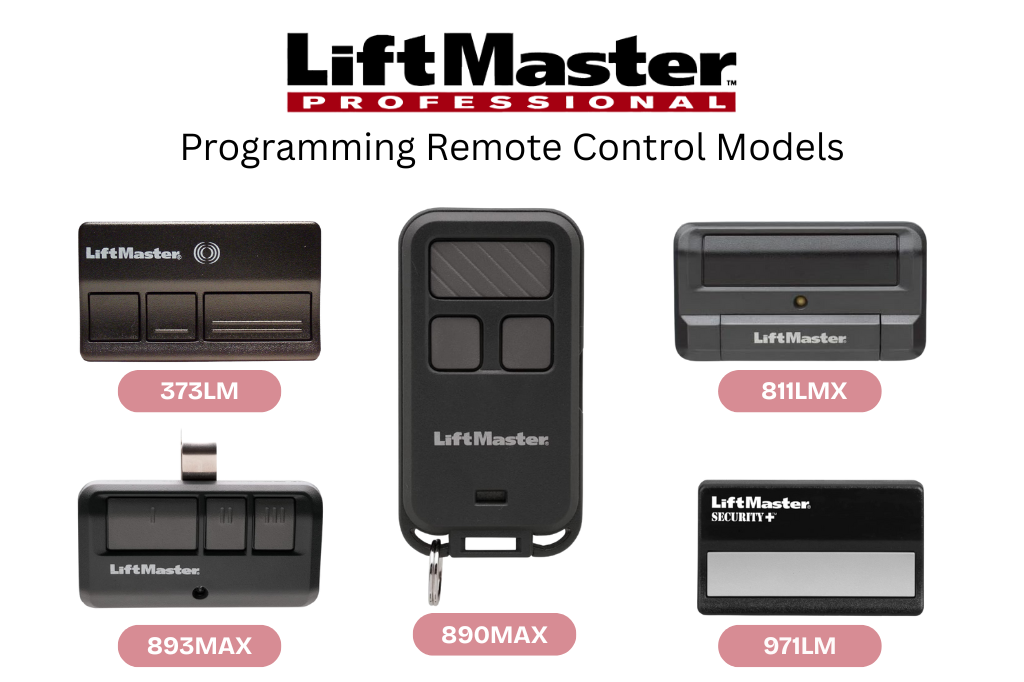
If you have a LiftMaster garage door opener, programming a remote may seem tricky at first—but it’s actually straightforward once you know the steps. Whether you’ve purchased a new remote or need to replace an old one, this guide will walk you through the process so you can have your garage door operating smoothly in minutes.
Why You Might Need to Program a LiftMaster Remote
Programming a remote can become necessary for several reasons:
- You want to increase security by clearing old remotes from the system.
- You bought a new LiftMaster remote.
- You want to add an extra remote for family members.
- Your existing remote stopped working due to a lost battery or signal reset.
What You’ll Need
Before you begin, make sure you have:
- Fresh batteries in your remote
- Your LiftMaster remote control
- Access to your garage door opener motor unit
- A step stool if your motor unit is mounted high
Step-by-Step Guide to Programming Your LiftMaster Remote
Step 1: Locate the Learn Button
- The Learn button is usually on the back or side of the garage door opener motor unit.
- The color of the button can vary depending on the model: yellow, red, purple, or green.
- The LED next to it will help indicate the programming mode.
Step 2: Prepare Your Remote
- Make sure your remote is powered with fresh batteries.
- Keep it nearby so you can press a button immediately after activating Learn mode.
Step 3: Press the Learn Button
- Press and release the Learn button on the motor unit.
- The LED light should turn on or start blinking, indicating the opener is ready to pair with a remote.
- You usually have about 30 seconds to complete the next step.
Step 4: Program the Remote
- Press and hold the button on your remote that you want to use to operate the door.
- Release the button when the garage door opener lights blink or you hear a click—this confirms the programming is successful.
Step 5: Test the Remote
- Press the programmed button to ensure the garage door opens and closes properly.
- If it doesn’t work, repeat the steps. Sometimes it takes a second attempt to sync.
Tips for Successful Programming
- Clear old codes: If multiple remotes exist, consider clearing all codes before programming new ones. Press and hold the Learn button for about 6 seconds until the LED turns off to erase old remotes.
- Check battery life: Weak batteries can prevent programming.
- Avoid interference: Make sure no other electronics are operating nearby during programming.
- Follow model-specific instructions: Some LiftMaster models may require different button sequences, so check your user manual if needed.
Conclusion
Programming a LiftMaster remote doesn’t have to be complicated. By following these simple steps, you can have your new or replacement remote fully functional in just a few minutes. Regularly updating or replacing remotes ensures that your garage remains secure and convenient for daily use.